
Microsoft’s strict operating system lifecycle deadlines create immense urgency for hardware procurement. Operating an unsupported machine introduces severe, unpatched security vulnerabilities into an organization or home network. Deploying non-compliant hardware risks sudden operational disruption, software incompatibility, and exposure to advanced malware threats.
Fortunately, a certified laptop refurbished Windows 11 setup is entirely achievable on pre-owned Dell hardware. Success depends entirely on whether the internal processing generation and motherboard components meet the modern hardware security requirements mandated by Microsoft. Verifying component compliance before purchasing eliminates future deployment friction, protects your data, and guarantees continuous asset utility.
The Non-Negotiable Hardware Requirements
Microsoft enforces specific hardware security primitives to protect modern endpoints against advanced firmware-level exploits, credential theft, and sophisticated ransomware campaigns. A laptop must satisfy these exact technical criteria to permit an official operating system installation or a clean automated upgrade path:
- Cryptographic Coprocessors: An active Trusted Platform Module (TPM 2.0) chip enabled in the system firmware.
- Firmware Architecture: Unified Extensible Firmware Interface (UEFI) configured for mandatory Secure Boot execution.
- System Memory: A minimum configuration of 4GB of physical Random Access Memory (RAM).
- Storage Infrastructure: At least 64GB of available high-speed local storage capacity.
┌─────────────────────────────────────────────────────────────────┐
│ Windows 11 Essential Security Bedrock │
├──────────────────────┬──────────────────────────────────────────┤
│ Cryptographic Engine │ TPM 2.0 (Active & Enabled in BIOS) │
│ Firmware Foundation │ UEFI (Unified Extensible Firmware Int.) │
│ Boot Security │ Secure Boot Configuration Active │
│ Core Memory │ 4GB Physical System RAM (Minimum) │
│ Local Storage │ 64GB High-Speed Disk Space (SSD / NVMe) │
└──────────────────────┴──────────────────────────────────────────┘
Systems failing to meet these baseline cryptographic and storage conditions are blocked immediately during the initial installation sequences. The installation wizard will halt execution, rendering standard deployment workflows impossible on non-compliant systems.
The CPU Generation Boundary (The Intel 8th Gen Rule)
Silicon architecture presents the most critical barrier to operating system upgrades. To achieve a stable, natively supported environment, the central processing unit (CPU) must meet strict generational thresholds designed to accommodate hardware-level security mechanisms like Virtualization-Based Security (VBS).
- Intel Platforms: 8th-Generation Core processors (Coffee Lake architecture) or newer iterations. This includes common business chips like the Intel Core i5-8250U, i5-8350U, or any i7 processor numbered 8xxx and higher.
- AMD Platforms: Ryzen 2000 series processors (Zen+ architecture) or newer iterations.
Older cheap used laptops running 6th or 7th-Generation Intel chips (such as the incredibly common Skylake Core i5-6300U or Kaby Lake i5-7300U found in older off-lease fleets) are structurally non-compliant. Although unofficial installation workarounds exist to bypass these checks, Microsoft explicitly blocks non-compliant microprocessors from receiving automated security updates.
Running an unpatched operating system exposes your device to devastating kernel-level exploits. It also violates basic corporate data protection compliance laws. Checking silicon generation parameters prior to procurement remains a non-negotiable safeguard.
The Enterprise Sourcing Advantage
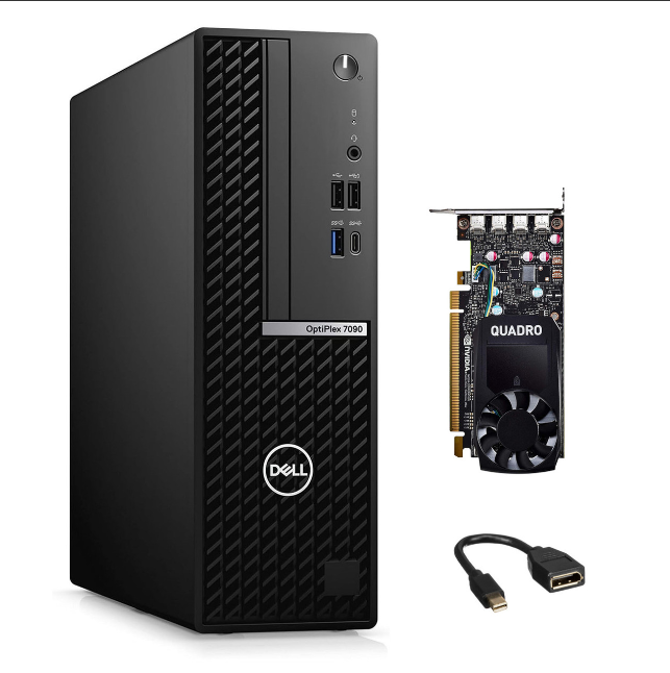
Targeting high-tier product ecosystems significantly streamlines the procurement process. Shopping for enterprise-grade hardware—such as business-class Dell Latitude laptops, OptiPlex desktops, or Precision workstations—makes compatibility highly likely.
These premium commercial lines served as early adopters of TPM 2.0 architecture and compliant Intel 8th-Generation silicon. Because corporate-grade computers are engineered for intense deployment environments, they offer features that far outclass standard consumer electronics:
- Robust Motherboard Design: Built to withstand constant power cycles and intensive long-term processing loads.
- Optimized Thermal Profiles: Expansive cooling pathways that allow processors to sustain peak performance without aggressive thermal throttling.
- Prolonged Hardware Lifecycles: Modular internal layouts that simplify maintenance, storage upgrades, and memory expansion.
This structural depth makes enterprise-class Dell systems ideal, cost-effective, and future-proof investments compared to standard off-the-shelf consumer devices.
Safe Sourcing Advice
Navigating the secondary market requires a disciplined procurement strategy to eliminate operational volatility. Browsing unverified peer-to-peer digital listings for hardware introduces unacceptable financial and operational risks. Private transactions lack hardware telemetry verification, component testing logs, battery degradation reports, or verified BIOS compliance checks. This leaves buyers highly vulnerable to purchasing non-upgradable legacy silicon locked out of modern software.
[ Private Peer listings ] ──► Risk of worn batteries, hidden defects, or dead-end CPUs
[ Certified Storefront ] ──► Vetted processors, battery health audits, & binding warranty
Purchasing from a certified, professional storefront—even beyond an official Dell refurbished store—removes this technical guesswork entirely. Specialized refurbishing facilities pre-audit internal component architecture against official Microsoft compatibility matrices.
Technical specialists verify firmware parameters, update the system BIOS, and ensure full cryptographic compliance. In most cases, these professional channels clean-install, officially license, and configure Windows 11 directly at the factory level before the machine is ever boxed for sale, guaranteeing an uncompromised user experience right out of the box.
Conclusion: Verifying Silicon Secures Future Uptime
True value is driven by operating system support, data security compliance, and component durability. Verifying the internal processing architecture before purchasing guarantees a highly secure, fully supported device. Selecting certified, compliant hardware tiers eliminates deployment risks and preserves your budget capital without sacrificing computing performance.
Explore Compatible Dell Hardware
Do not risk your operational compliance or expose your network to threats using unverified architecture. [Visit our physical retail storefront or explore our certified online inventory today to explore our fully compatible, pre-verified Windows 11 stock.] Let our staff walk you through processor compliance logs and find the ideal configuration backed by a comprehensive hardware warranty.