
Should You Buy an Entry-Level Notebook or a Refurbished Alternative?
Purchasing the cheapest retail machine available simply for the “new in box” experience is a classic budget consumer trap. Buyers routinely sacrifice performance stability and long-term durability just to own an untouched, lower-tier system. However, an ultra-budget, brand-new Windows machine often struggles under even standard modern software loads. A certified refurbished Chromebook or a premium business-class second-hand laptop serves as a vastly superior daily performer. True value relies on architectural efficiency, component quality, and design intent, not a factory box seal.
The Windows Bottleneck: Budget Notebooks vs. ChromeOS
Operating system resource overhead dictates daily responsiveness far more than current-generation marketing labels. Entry-level retail machines—such as base-model consumer notebooks—typically deploy low-tier Intel Celeron, Pentium, or AMD Athlon silicon. When paired with just 4GB or 8GB of non-upgradable RAM, these components reach their limits almost immediately.
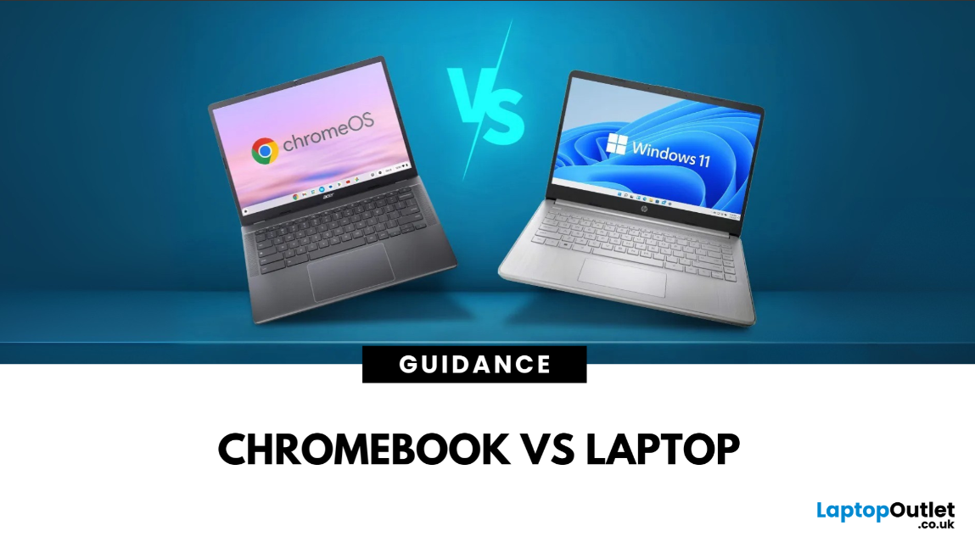
Modern Windows 11 environments demand intense local processing power just to sustain background telemetry, Windows Search indexing, real-time security scanning (Microsoft Defender), and continuous update cycles. This constant baseline activity starves active applications of necessary resources, resulting in systemic interface lag, browser freezing, and sluggish boot times.
Conversely, a certified refurbished Chromebook alters the performance equation entirely. ChromeOS is a lightweight, browser-based operating system designed for minimal resource utilization. It eliminates the heavy storage and memory requirements typical of traditional desktop platforms. Because the OS keeps its footprint small and minimizes background processes, identical budget hardware components feel significantly faster during daily operations. Web browsing, document creation, and high-definition video streaming execute fluidly without triggering the thermal management caps or local freezing common in entry-level Windows machines.
The Corporate Hardware Alternative
For users who require native desktop application support (such as full versions of Microsoft Office, specialized accounting software, or local development environments), matching low-end retail pricing against an enterprise-grade “second-hand laptop” price is a revelation.
Budget consumer laptops rely on flexible, low-cost plastic shells prone to severe chassis deflection, screen flickering, and hinge failure. They are structurally engineered for an operational lifecycle of just 12 to 18 months. Enterprise-class machines (such as the Dell Latitude, HP EliteBook, or Lenovo ThinkPad series) target a completely different durability threshold. Sourcing a two- or three-year-old corporate fleet return gives buyers access to professional-tier features:
- Structural Integrity: Internal magnesium-alloy roll cages and carbon-fiber reinforcement panels designed to meet military-grade (MIL-SPEC) durability standards.
- Premium Ergonomics: Precision glass trackpads, spill-resistant keyboard assemblies, and high-brightness, anti-glare display panels.
- Silicon Efficiency: High-tier Intel Core i5 or i7 processors that feature superior multi-threaded execution and cache sizes, providing more “breathing room” for heavy multitasking.
- Serviceability: Highly modular internal layouts that support easy component upgrades, such as replacing batteries or expanding storage and RAM, which is often impossible on budget consumer laptops.
These commercial systems are designed to outlive and outpace cheap retail plastic consumer devices by years, offering a lower total cost of ownership over their extended service life.
Summary Decision Framework
Selecting the optimal hardware configuration requires aligning your deployment needs with systemic platform limits. Use this framework to guide your purchase:
- Select a Refurbished Chromebook If: Your daily workload consists strictly of cloud-based portals, Google Workspace tools (Docs/Sheets), and media streaming. These devices offer maximum battery efficiency and near-instant startup times.
- Select a Premium Second-Hand Business Laptop If: You require local file directories, legacy desktop application compatibility (like Tally or heavy Excel macros), and physical hardware upgrade paths. These machines provide the best “hardware per dollar” value.
- Avoid the Ultra-Budget New Windows Laptop If: Your objective requires structural chassis durability, low latency, and consistent performance beyond the first 12 months. Entry-level “new” devices are often the most expensive option in the long run due to their rapid depreciation and inability to handle software updates gracefully.
Conclusion: Engineering Quality Trumps Production Date
True technology value is driven by operating system overhead, component tiering, and chassis build quality. Do not settle for a sluggish, plastic consumer device merely because it is new. Investing in professional technical restoration secures enterprise-grade execution well within budget parameters.
Whether you prioritize the extreme energy efficiency and simplicity of a refurbished Chromebook or the raw power and durability of an enterprise-grade laptop, your capital is better spent on quality engineering than on a “brand new” budget compromise.
Test High-Performance Budget Solutions
Experience true processing efficiency without the retail premium. Visit our storefront today to test our certified, pre-verified stock of high-performing alternative computing platforms in person. See the difference in build quality, keyboard travel, and system responsiveness for yourself before you buy.