
Refurbished Desktop vs. Laptop: Choosing Your Home Office Foundation
Remote professionals face a common dilemma when building a dedicated workspace: stationary stability or portable flexibility. Selecting the optimal form factor depends entirely on your specific workflow constraints and mobility requirements. However, you must recognize that a stationary corporate tower frequently offers superior long-term performance, thermal efficiency, and ergonomic modularity for the same price point as a mobile equivalent.
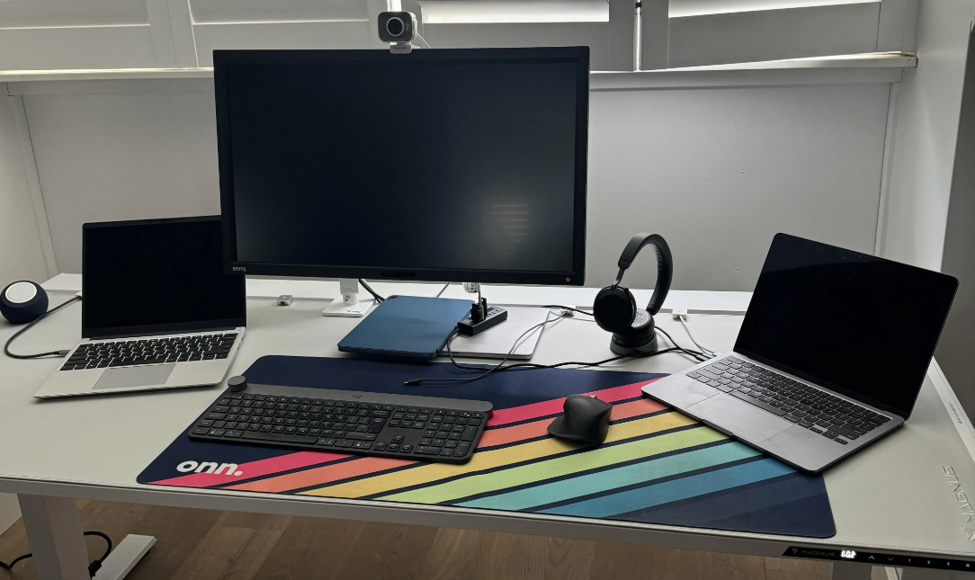
The Stationary Advantage: Power, Thermals, and Longevity
For professionals operating from a permanent desk, a commercial-grade refurbished tower or micro PC provides unmatched stability [1.1.1, 1.1.3]. Desktop workstations dominate stationary workspaces for three primary technical reasons:
- Thermal Efficiency: Large cooling fans and generous chassis volume prevent the thermal throttling common in mobile devices [1.1.1, 1.2.1]. This ensures sustained performance under heavy processing loads, which is critical for data-intensive or creative tasks [1.1.1, 1.1.4].
- Modular Expandability: These enterprise systems allow users to easily expand RAM, upgrade storage volumes, or add dedicated hardware accelerators [1.1.1, 1.2.1]. This modularity effectively extends the hardware’s useful lifecycle by years, often making them more cost-effective over time [1.1.1, 1.1.3, 1.2.1].
- Peripheral Integration: Desktops support multiple independent 4K monitor arrays and high-speed wired networking natively, building a resilient productivity hub that laptop docks often struggle to replicate without additional dongles [1.1.4, 1.2.1].
The Mobility Trade-Off: Flexibility vs. Ergonomic Bottlenecks
Choosing a premium mobile workstation, such as a business-class laptop, provides the freedom to transition between home offices, remote client locations, and corporate travel [1.1.3, 1.2.4]. This flexibility introduces distinct ergonomic and performance challenges, however:
- Ergonomic Constraints: Relying on a laptop screen requires external docks, monitors, and keyboards to prevent chronic posture issues caused by the integrated display’s fixed height [1.1.4].
- Hardware Limitations: Mobile devices have fixed internal components [1.2.1]. Once purchased, you are generally unable to expand processing overhead or graphics throughput, limiting future-proofing [1.2.1, 1.2.4].
- The Mini-Laptop Hazard: Avoid selecting an ultra-compact mini-laptop for primary office workloads. These chassis utilize low-power processors and cramped, high-density trackpads [1.2.1]. They are engineered strictly for light, short-term travel, not sustained multi-window professional multitasking [1.2.1].
The Summary Decision Matrix
Evaluate your professional requirements against these two deployment paths to ensure an optimal return on your investment:
| Feature | Choose a Refurbished Desktop if: | Choose a Portable Laptop if: |
| Workflow | You require multi-monitor arrays and heavy processing [1.1.4, 1.2.1]. | You demand geographic flexibility and hybrid commutes [1.1.3, 1.2.4]. |
| Environment | You have a permanent, dedicated desk space [1.1.1, 1.1.4]. | You need to move between home, office, and client sites [1.1.3, 1.2.4]. |
| Hardware | You prioritize upgradeability and thermal stability [1.1.1, 1.2.1]. | You need an integrated all-in-one power-reserve system (battery) [1.1.3, 1.2.4]. |
Conclusion: Ergonomics Drive Productivity
True technical value is calculated by workspace ergonomics and multi-year hardware tiers, not portability margins alone [1.1.4, 1.2.1]. A desktop provides a thermal and performance ceiling that mobile form factors cannot reach, while a laptop provides the agility required for the modern hybrid professional [1.2.1]. Choose the architecture that aligns with your primary physical workspace, not the one that merely fits a specific budget.
Test Your Form Factor
Do not guess which setup best supports your workflow. Visit our physical storefront today to test certified commercial desktops and mobile workstations side by side. Our specialists will assist in configuring a fully optimized, warranty-backed home office solution tailored to your specific demands.