
Can This Refurbished PC Laptop Be Upgraded to Windows 11?
Microsoft’s strict operating system lifecycle deadlines create understandable anxiety for individual users and IT procurement managers alike. With standard free support for Windows 10 completely in the rearview mirror, deploying or maintaining non-compliant hardware risks sudden operational disruption, escalating maintenance costs, and severe security vulnerabilities.
However, a certified refurbished PC laptop is fully capable of running Windows 11 natively. Compatibility does not depend on whether a machine is brand new or pre-owned; it depends entirely on whether the underlying silicon architecture and system firmware satisfy modern enterprise security baselines.
Verifying hardware compliance beforehand eliminates future deployment friction, shields your data, and guarantees immediate access to core operating system patches without relying on unstable workarounds.
The Non-Negotiable Hardware Requirements
Microsoft mandates specific hardware security primitives designed to protect modern endpoints against advanced, firmware-level attacks. A computer must satisfy these foundational criteria at a hardware level to permit official operating system installation and support:
- Cryptographic Processors: An active, hardware-based Trusted Platform Module (TPM 2.0) chip must be present and enabled within the system firmware.
- Firmware Architecture: The motherboard must support Unified Extensible Firmware Interface (UEFI) configured for mandatory Secure Boot execution.
- System Memory: A minimum configuration of 4GB of physical Random Access Memory (RAM) is required.
- Storage Infrastructure: At least 64GB of available high-speed solid-state drive (SSD) or mechanical storage capacity must be present.
Systems failing to meet these baseline cryptographic and storage conditions are flagged and blocked during initial installation setup or automated update loops.
The CPU Generation Boundary (Intel vs. AMD)
Silicon architecture presents the most critical barrier to operating system upgrades. To achieve a stable, native refurbished Windows 11 laptop deployment, the central processing unit (CPU) must meet strict generational thresholds dictated by Microsoft’s approved processor lists. Supported mainstream platforms include:
- Intel Platforms: 8th-Generation Core processors (Coffee Lake architecture) or newer iterations.
- AMD Platforms: Ryzen 2000 series processors (Zen+ architecture) or newer iterations.
[Legacy Refurbished] ➔ Pre-8th Gen Intel / Ryzen 1000 ➔ Lacks MBEC ➔ Blocked / No Updates
[Compliant Refurbished] ➔ 8th Gen+ Intel / Ryzen 2000+ ➔ Active TPM 2.0 ➔ Native Windows 11
Older architectures lack mandatory hardware-level security features, such as Mode-Based Execution Control (MBEC), which prevents kernel-level exploit injections. For example, trying to upgrade a legacy, pre-8th Gen Dell Precision refurbished workstation will halt automated system installation.
While manual registry workarounds exist to force the software onto unsupported chips, Microsoft explicitly excludes non-compliant processors from receiving critical, automated security updates. This operational restriction rapidly transforms older hardware into a corporate liability. Checking silicon generation parameters prior to procurement remains a non-negotiable step.
⚠️ The Urgent Cost of Windows 10 Latency: Staying on Windows 10 has officially become an expensive proposition. Commercial environments keeping older, non-compliant machines on Windows 10 must pay for Extended Security Updates (ESUs). The first year costs $61 per device, which doubles to $122 in Year 2 and $244 in Year 3. For individual consumers, the ESU program is strictly capped at a single year for a $30 flat fee, meaning consumer Windows 10 support ends completely. Upgrading to a compliant refurbished system is a financial necessity to avoid these mounting fees.
Native Support vs. Upgrade Paths
Reputable certified dealers completely eliminate this structural guesswork during their inventory intake and re-imaging lifecycle phases. Specialized refurbishing facilities audit internal components against official compatibility matrices well before units ever enter the active sales pipeline.
| Sourcing Channel | Testing Protocols | Windows 11 Readiness | Long-Term Support |
| Certified Professional | Automated hardware loops, firmware audits, TPM activation | Clean factory install or seamless automated upgrade | Full access to Microsoft patches & local dealer warranty |
| Unverified Used Seller | Visual check only, zero component validation | Frequently locked to unsupported, aging hardware specs | Excluded from updates, 100% financial risk |
Consequently, premier pre-owned hardware options are rarely sold as complex projects requiring manual bios hacking or configuration tweaks. Top-tier corporate fleets arrive at your door with the modern operating system clean-installed, fully licensed, and optimized at the technician level.
If a system contains a compliant architecture but is running an older operating system version, the integrated Windows Update delivery service completes the transition seamlessly. This automated path requires zero manual scripting, complex driver deployment, or third-party patch software.
The Crucial Local Showroom Advantage
Relying purely on online specifications can sometimes result in misidentified hardware variants. For instance, some laptop models share identical chassis names across multiple processor generations, making it easy to accidentally order an incompatible machine online.
Searching for used computers near me and visiting an established physical storefront completely removes this operational risk. A local retail setting grants you direct access to the live hardware before you make a financial commitment.
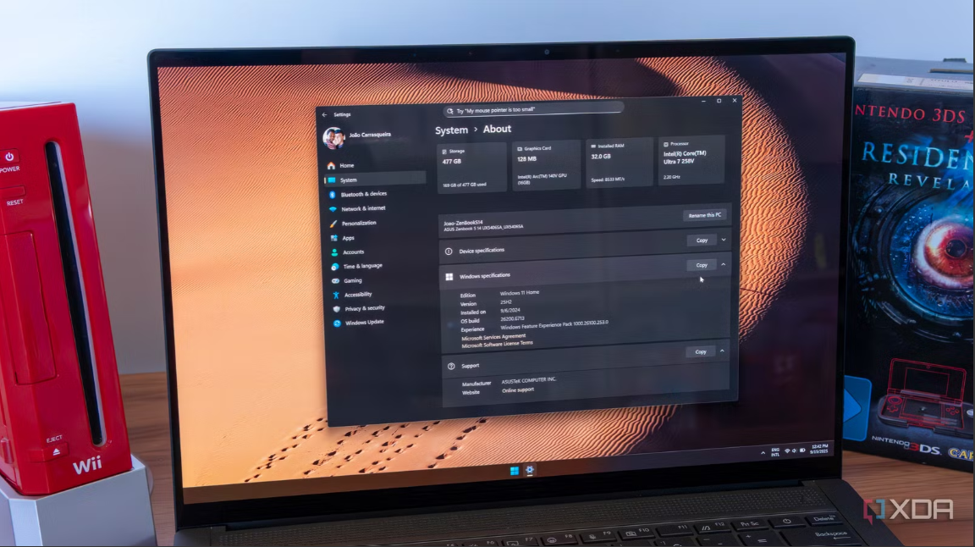
You can boot the machine, open the native “Windows Security” suite, and verify the presence of the TPM 2.0 module and the specific CPU generation with your own eyes. Furthermore, if any firmware tuning or Secure Boot configuration is required, local on-site technicians can handle the optimization right at the service counter, guaranteeing your computer is 100% future-proof before you take it home.
Conclusion: Future-Proofing Corporate Hardware
Verifying silicon compliance and firmware compatibility prior to purchase guarantees a secure, future-proof digital workspace. Selecting certified devices eliminates the threat of rising Windows 10 support costs, ensures long-term endpoint security, provides immediate deployment capability, and maintains full regulatory compliance.
Browse Verified Windows 11 Hardware
Do not risk your operational uptime or security compliance on unverified, outdated architectures. [Visit our physical showroom today to explore our rigorously audited inventory of pre-configured, fully compliant systems.] Every laptop and desktop in our stock is guaranteed to support Windows 11 natively, comes loaded with clean software builds, and is fully backed by an ironclad local warranty for absolute peace of mind.