
Will Cheap Computers for Sale Actually Support Windows 11?
Microsoft’s rigid operating system lifecycle deadlines create severe compliance anxiety for desktop buyers. Procurement managers frequently assume budget hardware implies immediate software obsolescence. With the official end of standard support for Windows 10 having passed on October 14, 2025, operating an unsupported machine introduces severe, unpatched security vulnerabilities into an organization.
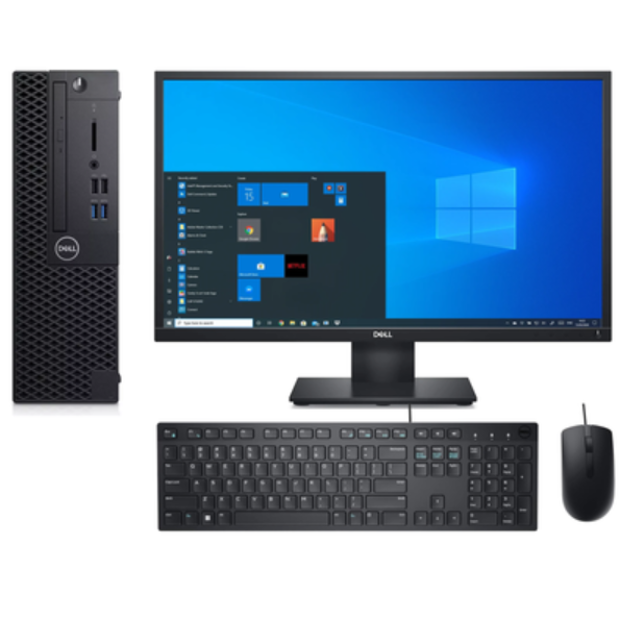
However, shopping for cheap computers for sale does not mean sacrificing modern software support. A certified refurbished PC desktop can run the Windows 11 operating system natively, seamlessly matching the lifespan of factory-new machines. System compliance does not depend on a premium retail price tag; it depends entirely on whether the hardware architecture satisfies modern enterprise security mandates.
Understanding these strict deployment primitives protects your capital and ensures long-term asset utility across your technical infrastructure. By learning exactly what to look for under the hood, you can confidently purchase low-cost refurbished hardware that remains fully supported by Microsoft for years to come.
The Non-Negotiable Desktop Requirements
Microsoft mandates specialized silicon features to guarantee hardware-level endpoint protection. Desktops must contain specific cryptographic and firmware primitives to permit official installation. These baseline constraints apply uniformly across all hardware footprints, meaning that a $150 refurbished micro-PC must clear the exact same bar as a $2,000 gaming rig.
+—————————————————————–+
| Windows 11 Baseline Compliance Check |
+———————-+——————————————+
| Security Component | Mandatory Minimum Specification |
+———————-+——————————————+
| Cryptographic Module | TPM 2.0 (Enabled via BIOS/Firmware) |
| Firmware Subsystem | UEFI (Unified Extensible Firmware Int.) |
| Boot Guard | Secure Boot Capable & Active |
| Volatile Memory | 4GB Physical RAM (Minimum) |
| Storage Volume | 64GB High-Speed Local Space (SSD/HDD) |
+———————-+——————————————+
Systems missing these cryptographic building blocks will fail initial deployment compliance audits. Upgrading firmware settings manually cannot bypass physical component absences on legacy mainboards.
Cryptographic Coprocessors (TPM 2.0)An active Trusted Platform Module (TPM 2.0) chip must be present and enabled in the firmware. This security module handles hardware-enforced cryptographic keys, isolates system encryption processes, and shields identity credentials. If a machine only features TPM 1.2—which was common in enterprise hardware up until 2017—the official Windows 11 installer will hard-block the deployment.
Firmware Subsystems & Secure Boot
The system must feature Unified Extensible Firmware Interface (UEFI) architecture configured for mandatory Secure Boot. Legacy BIOS (Basic Input/Output System) layouts are completely deprecated. Secure Boot acts as a digital gatekeeper, validating the cryptographic signature of the operating system kernel before allowing it to launch. This prevents malicious rootkits and boot-level malware from hijacking the workstation before the antivirus software can even initialize.
Volatile Memory & Storage Infrastructure
To sustain core platform features and modern security isolation layers, Microsoft demands a minimum configuration of 4GB of physical system RAM. For storage, the system requires at least 64GB of high-speed local solid-state or mechanical disk space. While these memory and storage minimums are technically low, modern productivity demands usually dictate upgrading to 8GB or 16GB of RAM and a Solid State Drive (SSD) for optimal day-to-day performance.
The CPU Generation Boundary: Intel vs. AMD
Silicon architecture dictates final operating system support far more than retail pricing tiers. To secure a stable, natively supported desktop environment, processors must hit exact architectural limits. Microsoft maintains strict generational thresholds to ensure hardware-level security features work correctly without degrading system performance.
- Intel Core Series: 8th-Generation processors (utilizing the Coffee Lake microarchitecture or newer iterations) are mandatory. This includes chips launched from late 2017 onward (e.g., Core i5-8500, Core i7-8700).
- AMD Ryzen Series: Ryzen 2000 series desktop processors (built on the Zen+ microarchitecture or newer iterations) are required.
Older used desktop computers utilizing 6th or 7th-Generation Intel configurations (such as the incredibly common Skylake and Kaby Lake Core i5-6500 or i5-7500) are structurally non-compliant. They are locked out of native support despite often possessing identical clock speeds to newer chips.
The Security Risk of Workarounds: Although unofficial registry workarounds exist to force Windows 11 onto older CPUs, Microsoft explicitly states that non-compliant microprocessors are blocked from receiving automated security updates. Running an unpatched operating system exposes workstations to devastating kernel-level exploits and directly violates basic corporate data protection compliance laws.
When searching through cheap computers for sale, verifying specific silicon generation limits prior to component acquisition remains your most critical safeguard.
Native Support vs. Upgrade Paths
Reputable certified dealers completely eliminate architectural guesswork during their comprehensive technical intake process. Because bulk enterprise off-lease devices are heavily audited, engineering teams thoroughly evaluate desktop motherboards, firmware configurations, and processor generations prior to listing them for sale.
Consequently, premier pre-owned hardware options arrive completely optimized for production deployment out of the box. Most compliant systems feature Windows 11 already clean-installed, officially licensed, and fully configured by a Microsoft Authorized Refurbisher (MAR).
[ Incoming Refurbished PC ]
│
Is CPU Intel 8th Gen+ /
AMD Ryzen 2000+?
│
┌────────────────────┴────────────────────┐
▼ YES ▼ NO
[ Safe Asset Investment ] [ Immediate Obsolescence ]
• Full automated updates Native • Unofficial workarounds required
• Seamless Windows Update pipeline • Blocked from security patches
• Enterprise data compliance • Exposes network to exploits
For compliant systems running older authorized environments like Windows 10, the integrated Windows Update pipeline completes the transition automatically. This standardized upgrade path requires zero complex deployment scripts or manual technician hours. The system updates seamlessly, preserving local files, user configurations, and device drivers perfectly.
Conclusion: Future-Proofing Desktop Infrastructure
Verifying hardware compatibility before purchasing guarantees a highly secure, future-proof desktop setup. Selecting certified, compliant architectures eliminates deployment risk. It secures long-term asset utility at a fraction of factory-new pricing, letting you scale your workstations affordably without compromising on endpoint security.
Deploy Certified Windows 11 Desktops TodayProtect your ongoing operational compliance and shield your data from modern threats. Browse our inventory of verified, pre-configured Windows 11 systems to secure dependable, enterprise-grade processing power completely risk-free.